

Phone attendance
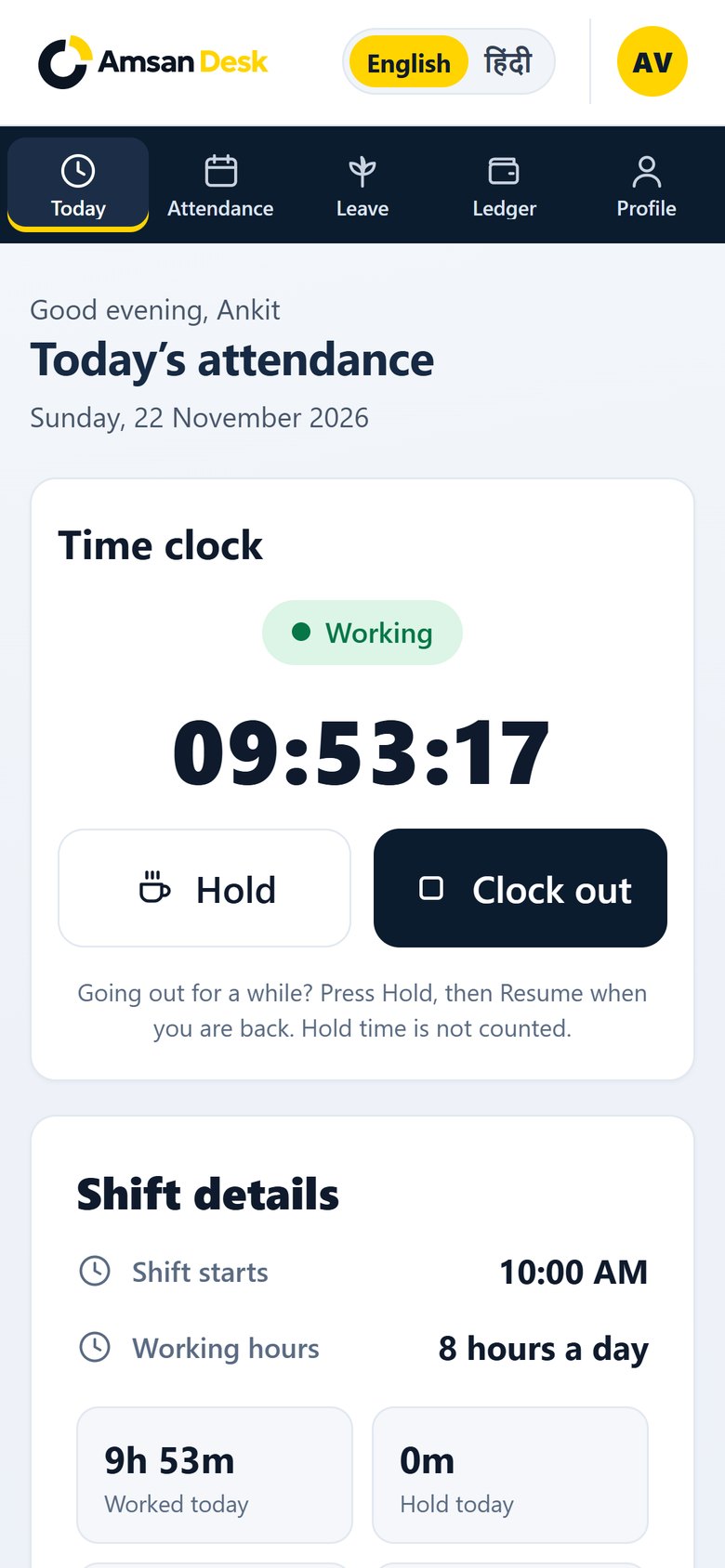
Clock in, hold, resume and clock out from the phone. It works like an app from the home screen — with nothing to install from a store.

Amsan Desk helps small teams mark attendance from the phone, track work hours, manage salary, and keep every client’s tasks and files together. There is no app to install — it works in the browser, and can sit on the home screen like one.
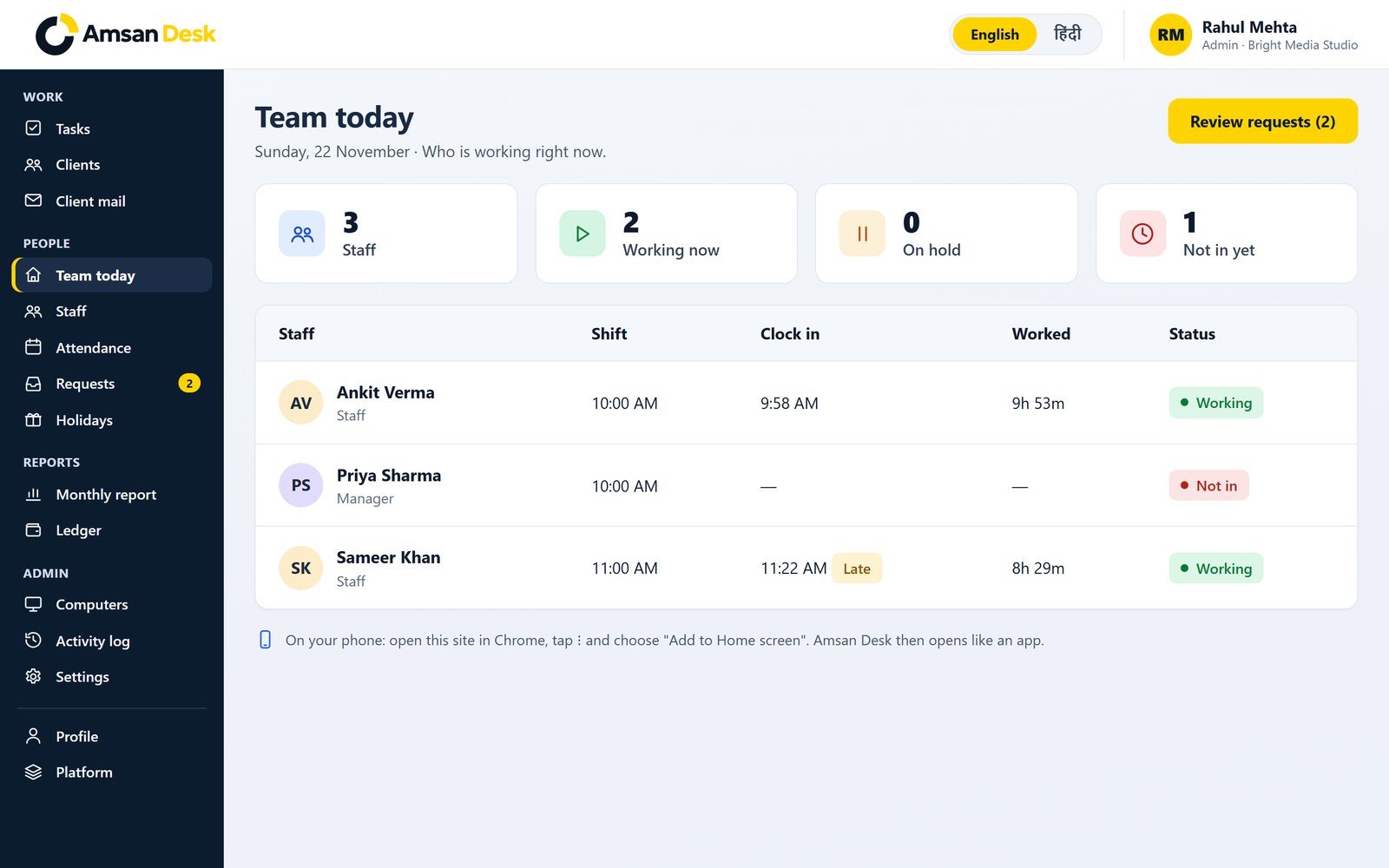
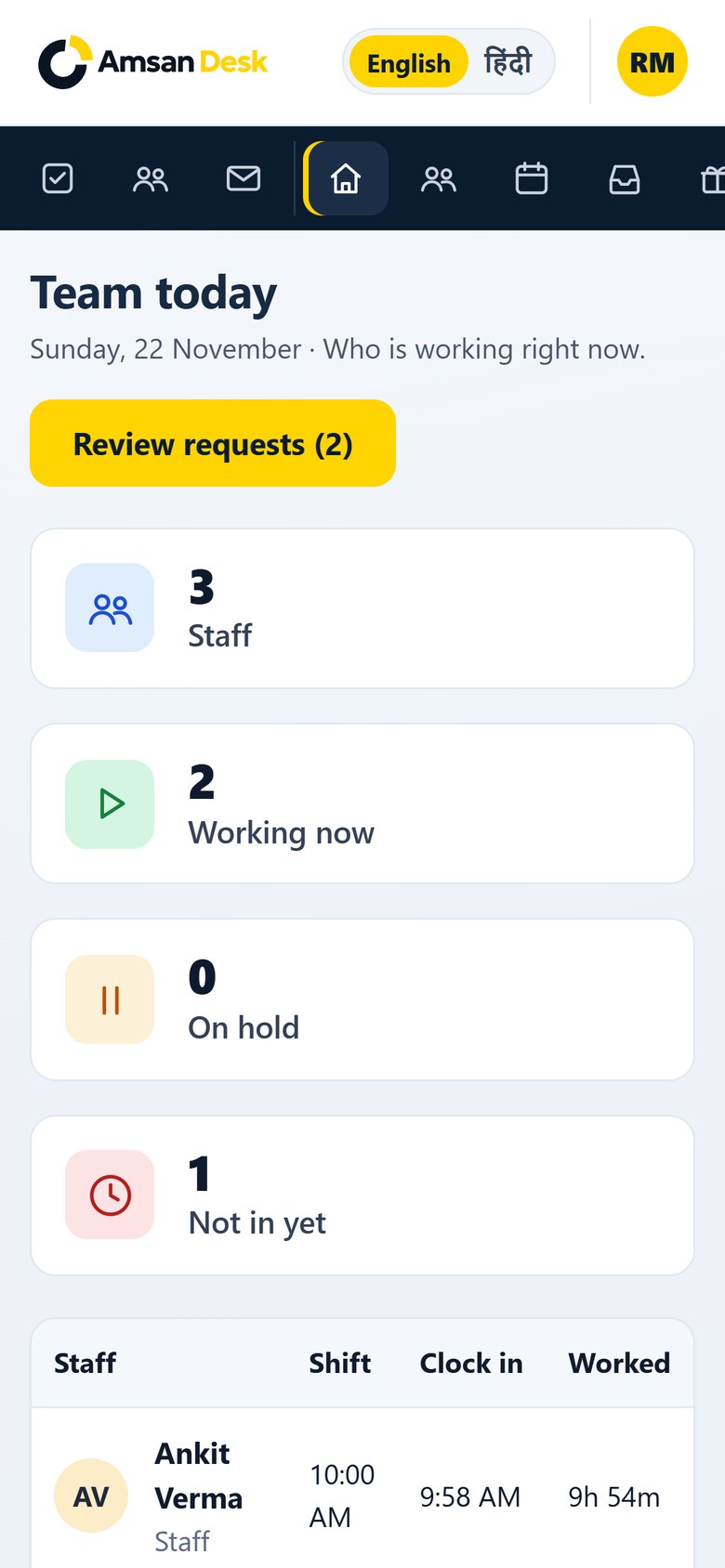
Sunday, 22 November · Who is working right now.
| Staff | Shift | Clock in | Worked | Status |
|---|---|---|---|---|
AV Ankit VermaStaff | 10:00 AM | 9:58 AM | 9h 53m | Working |
PS Priya SharmaManager | 10:00 AM | — | — | Not in |
SK Sameer KhanStaff | 11:00 AM | 11:22 AM Late | 8h 29m | Working |
On your phone: open this site in Chrome, tap ⋮ and choose “Add to Home screen”. Amsan Desk then opens like an app.
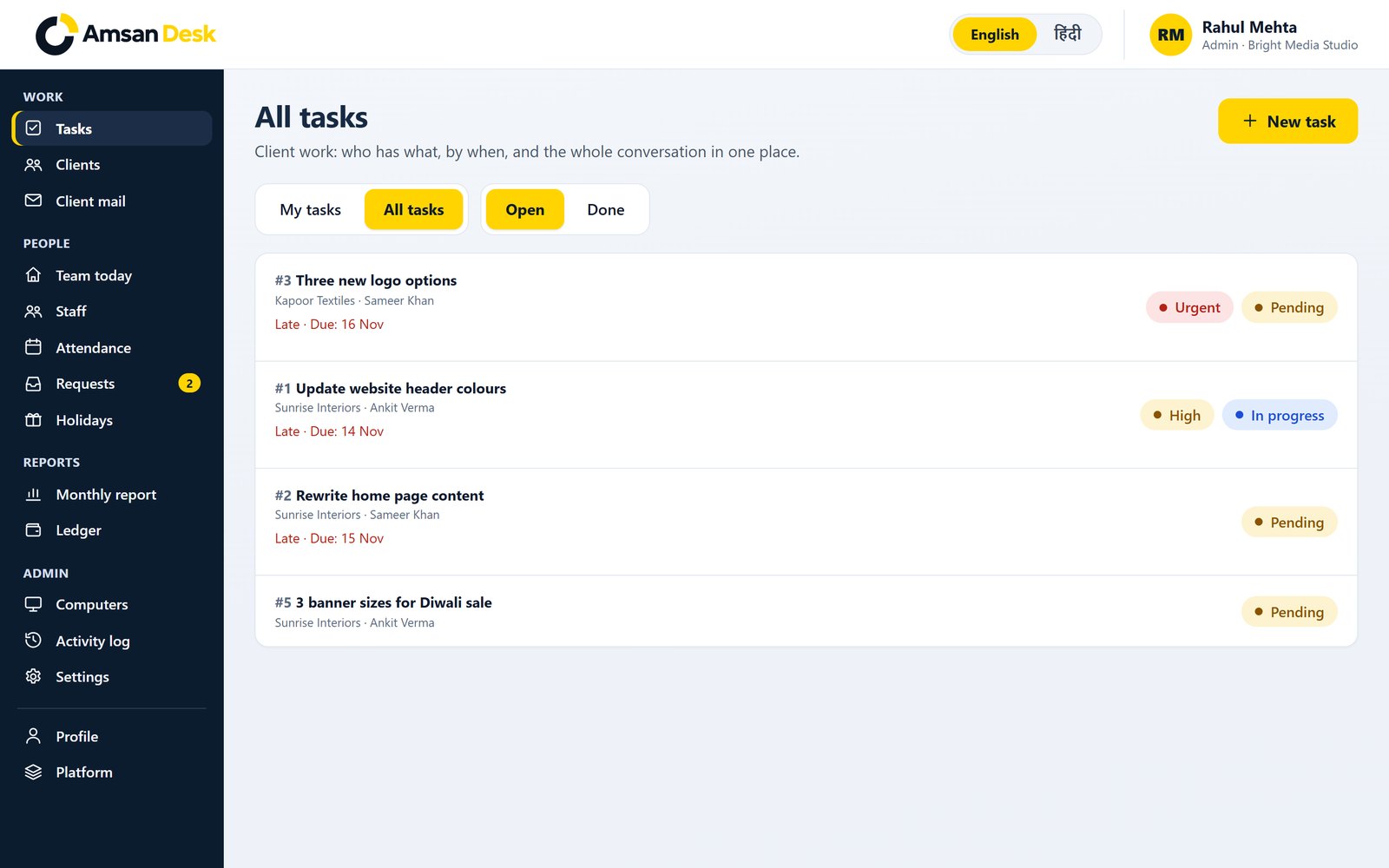
From the first clock-in of the morning to salary at the end of the month, and the files sitting with a client — this is the work Amsan Desk is built to hold.
Clock in, hold, resume and clock out from the phone. It works like an app from the home screen — with nothing to install from a store.
See who is working, on hold, or not in yet — in one view, with live hours and a late badge when someone clocks in after their shift.
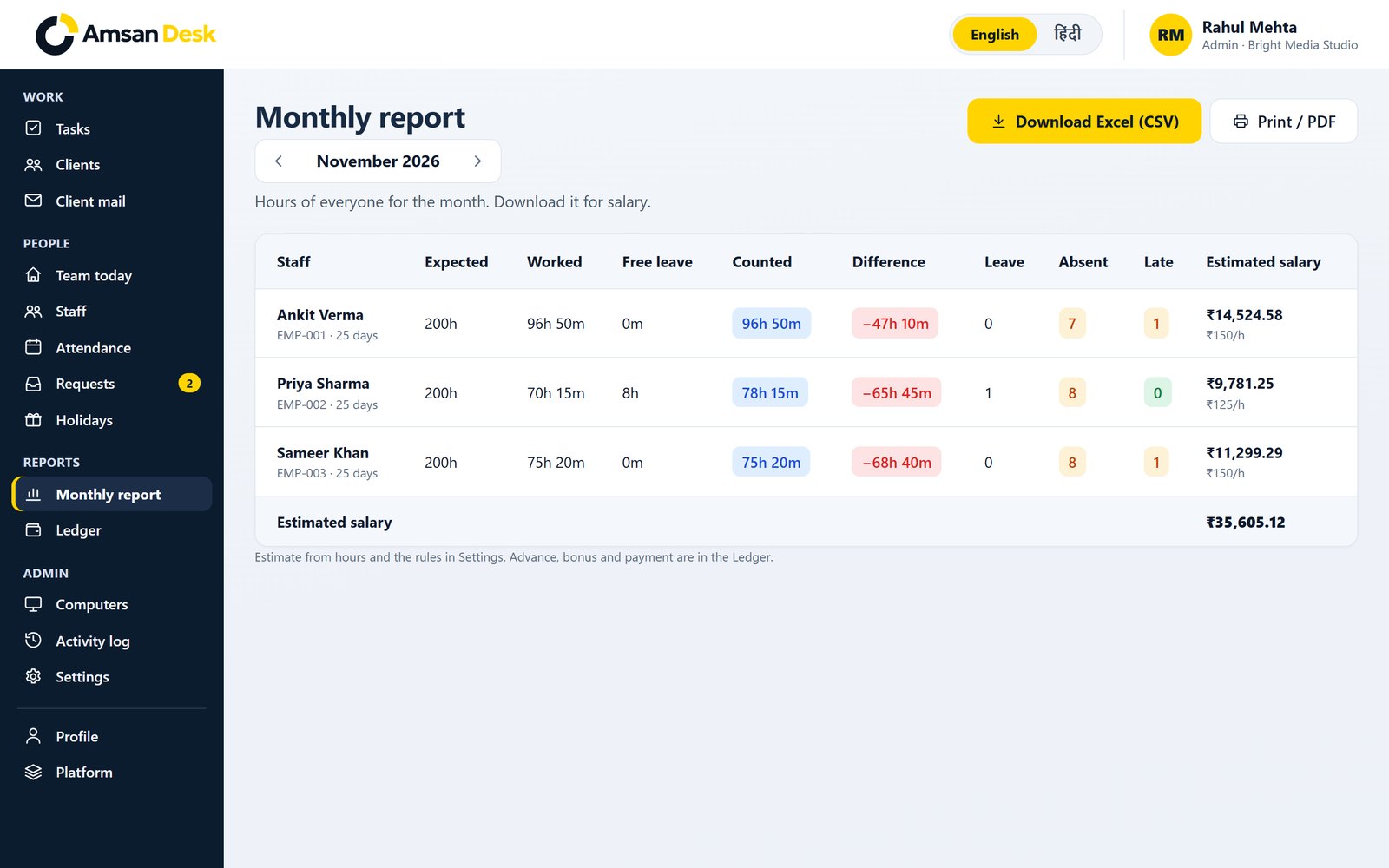
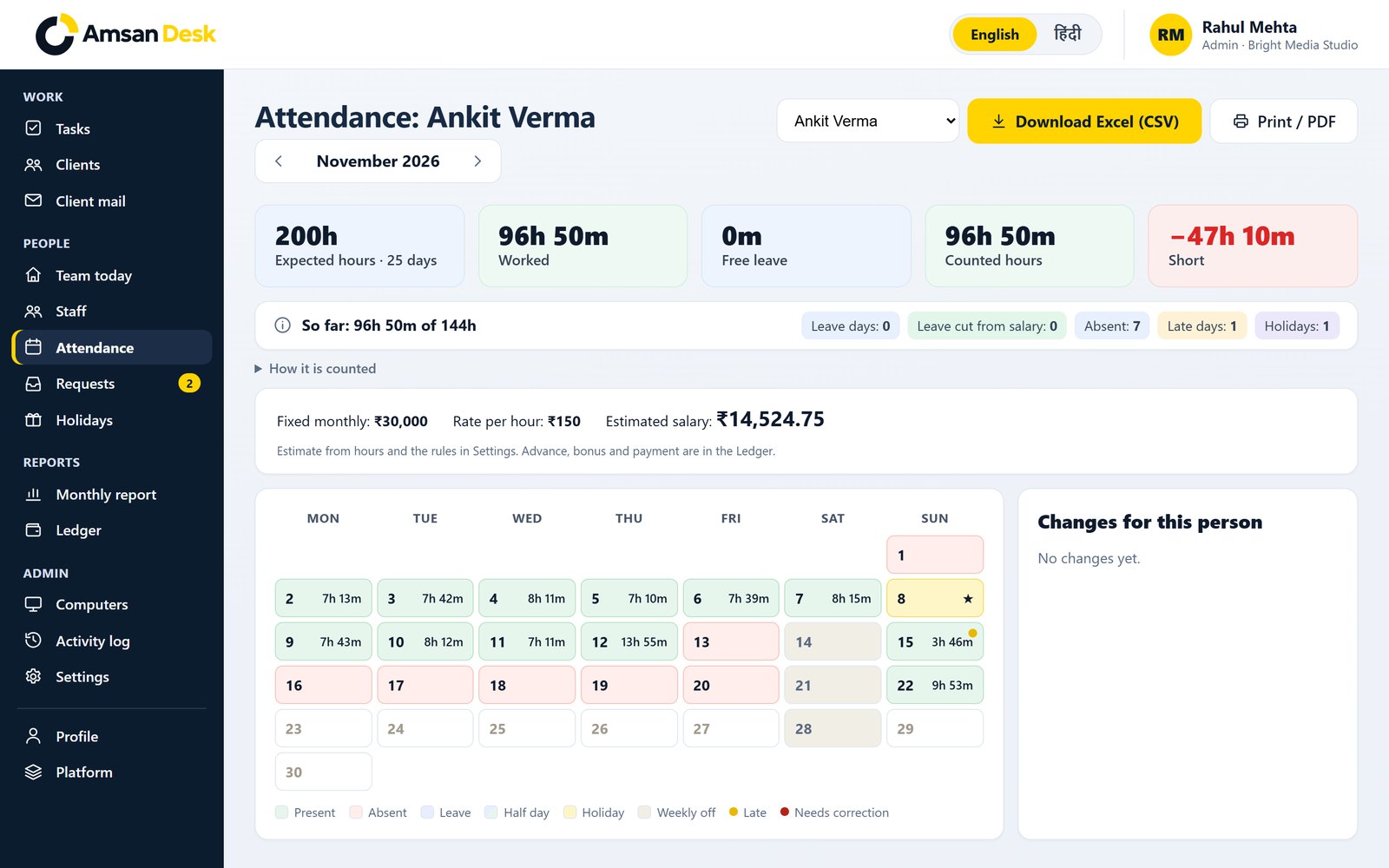
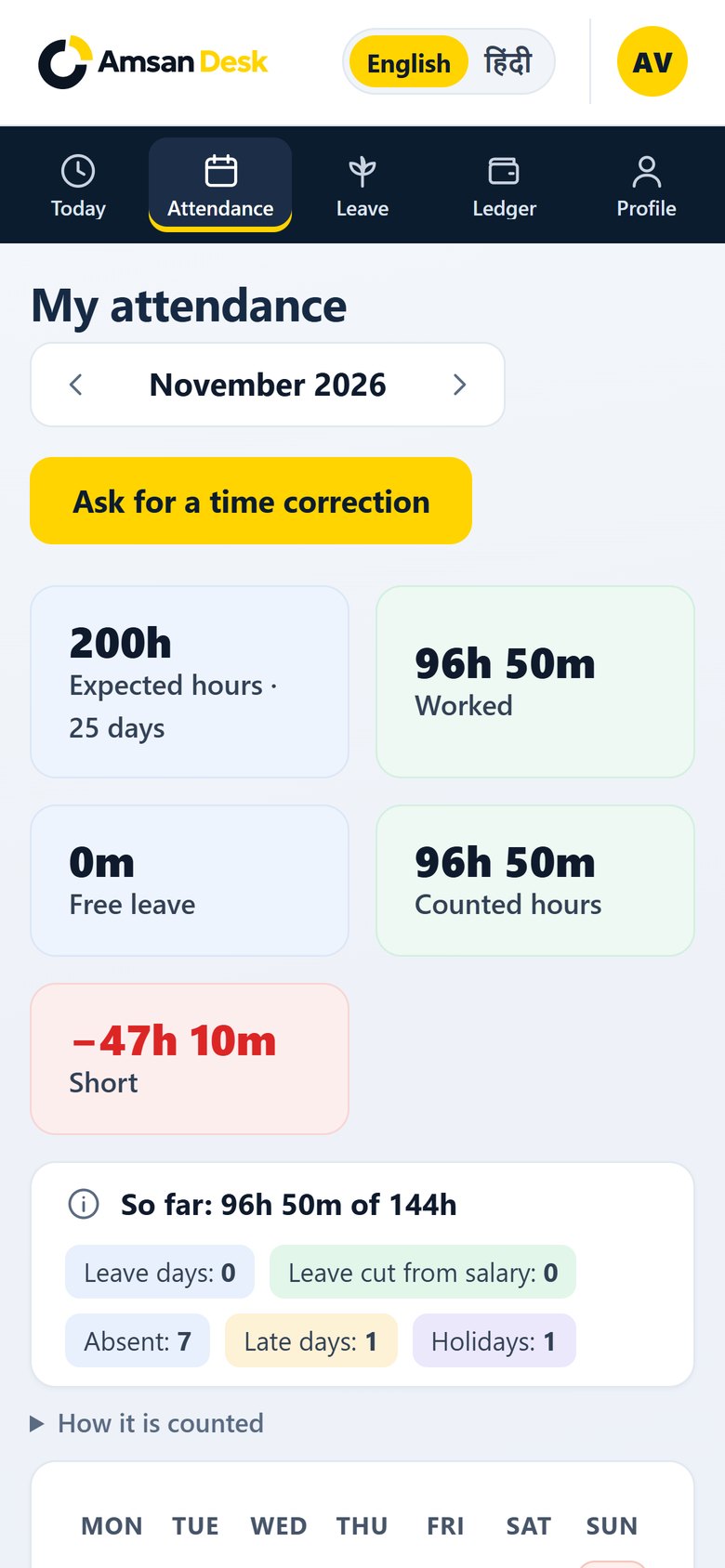
Hours, late, absent, leave and an estimated salary figure for the month, ready to review or print.
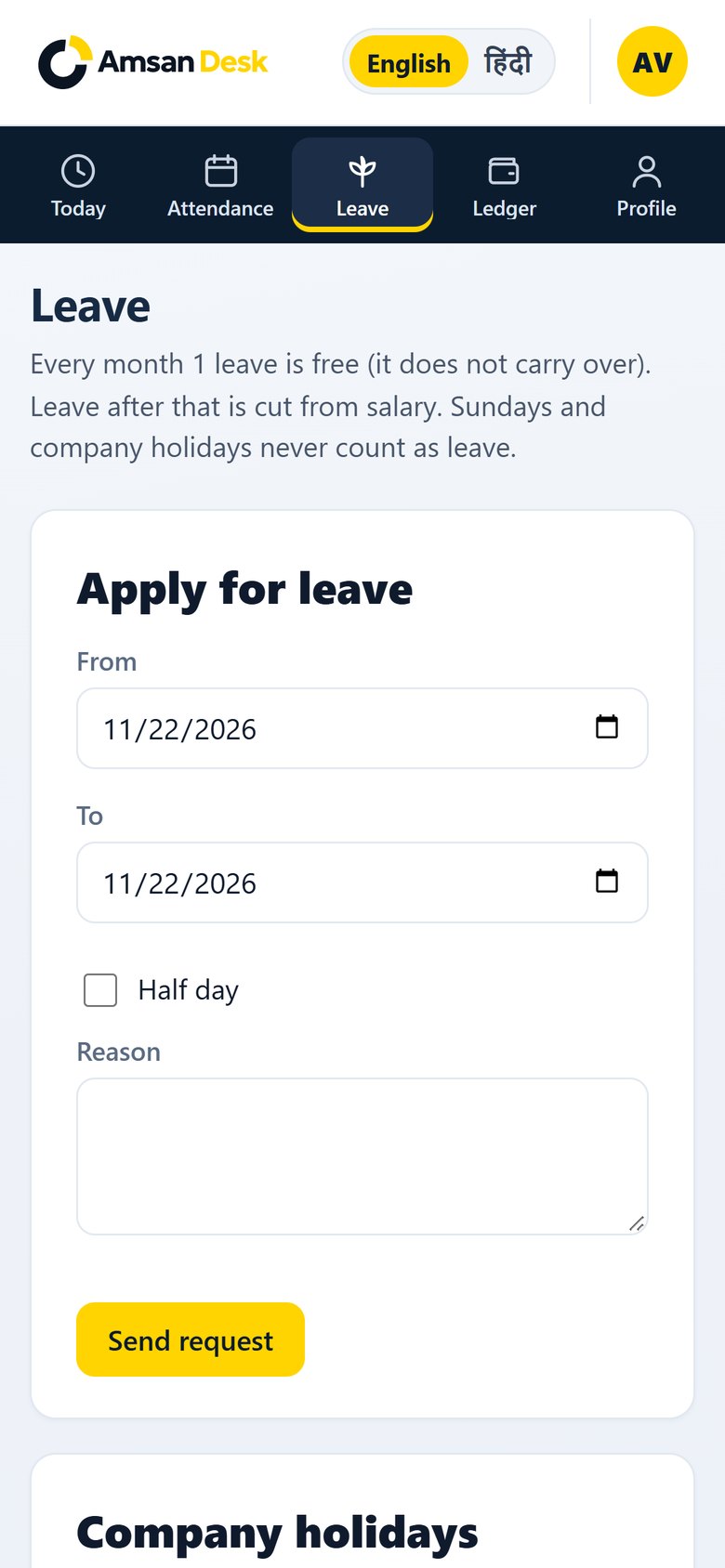
People can ask for a time correction from their phone, and for leave on plans that include it. Admins review requests in one list, with a badge when something is waiting.
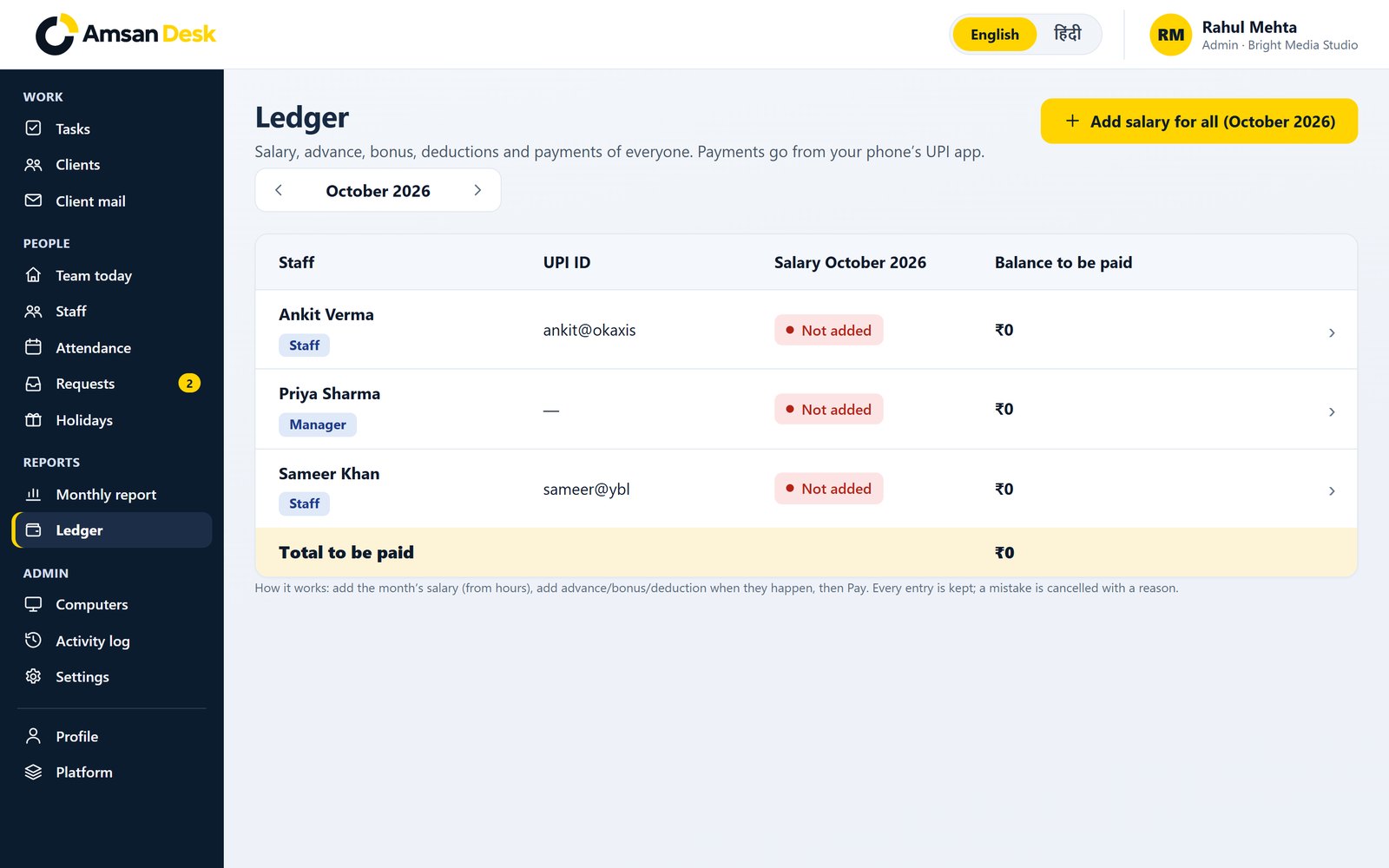
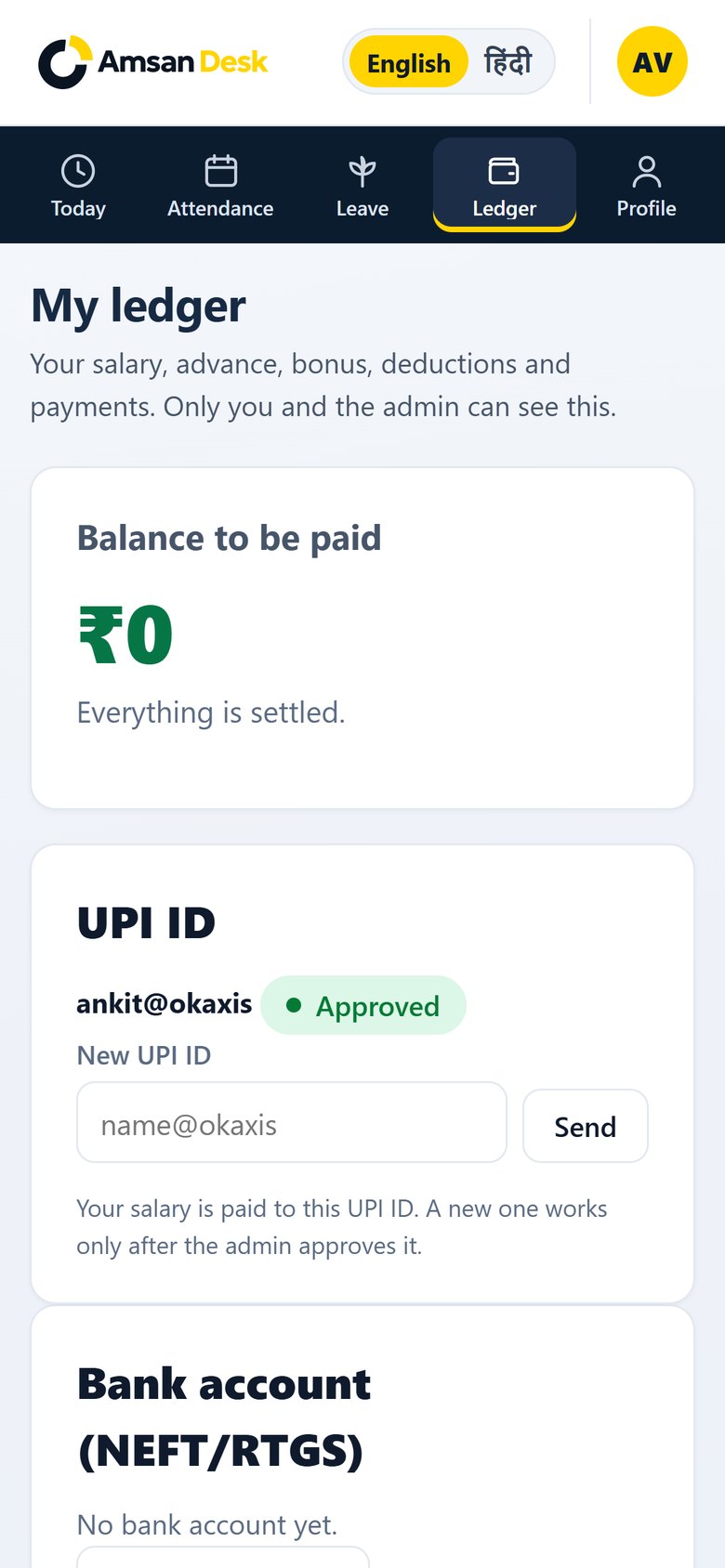
Salary, advance, bonus, deduction and payments in one ledger — on the computer for the admin, and on the phone for each person.
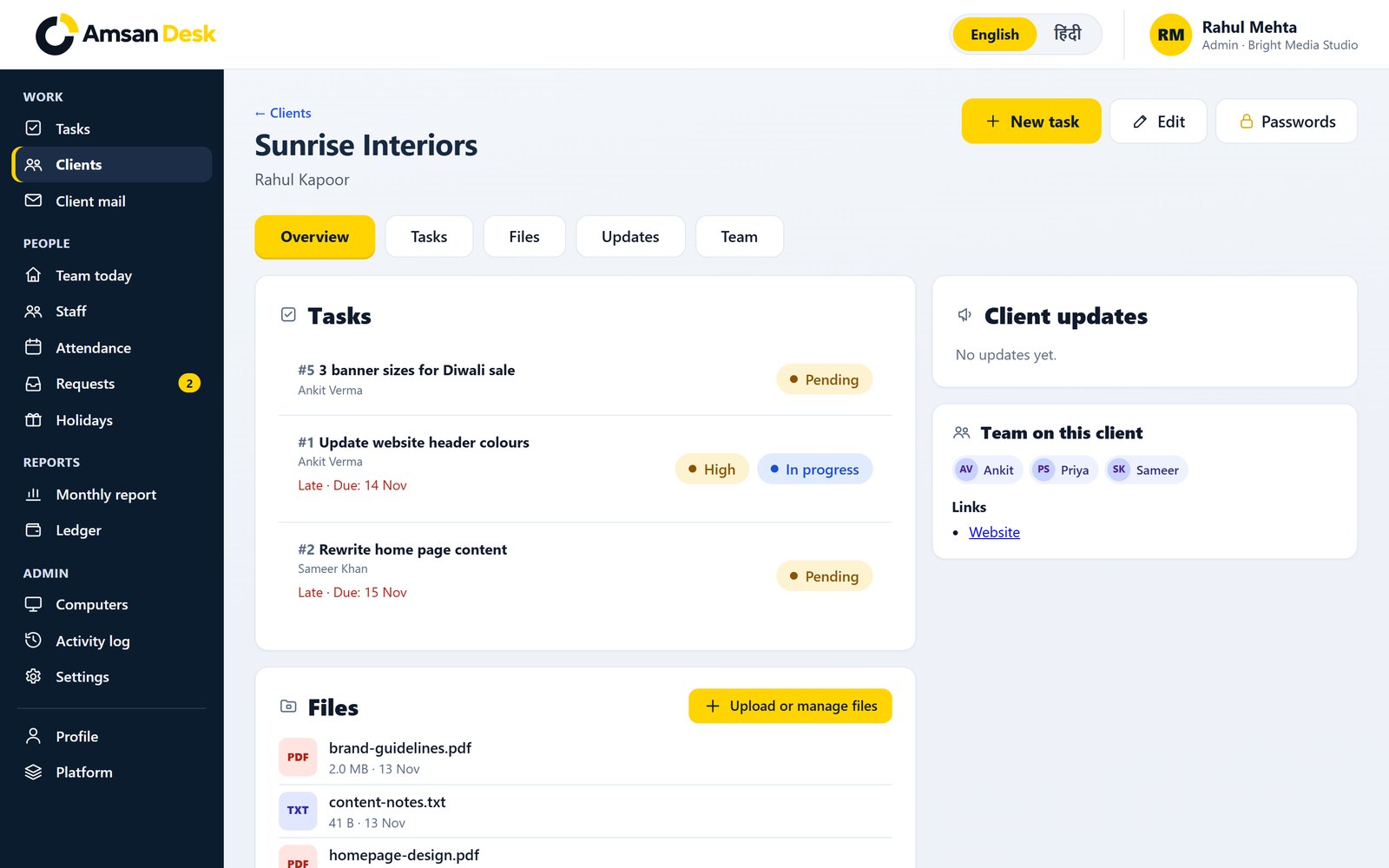
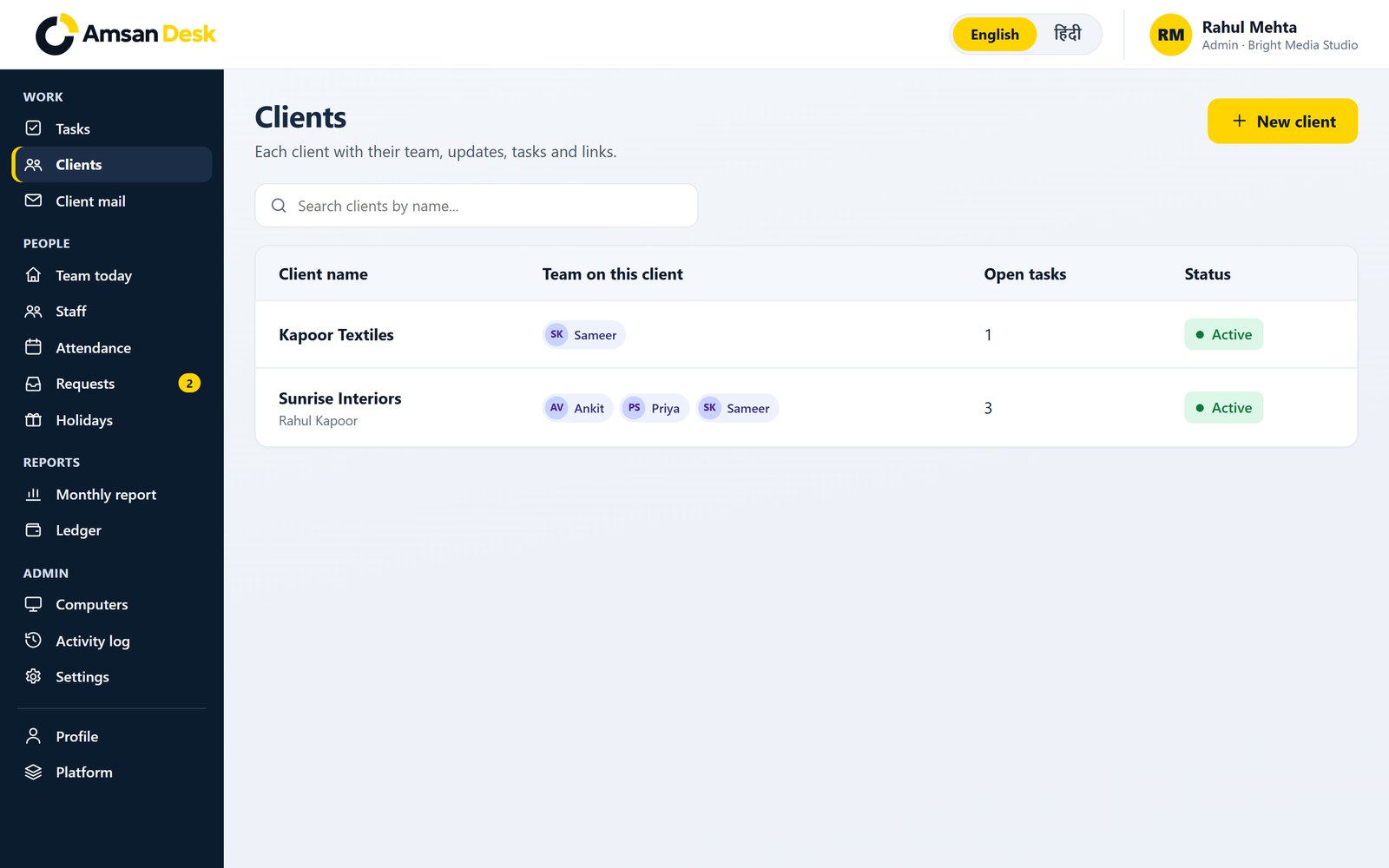
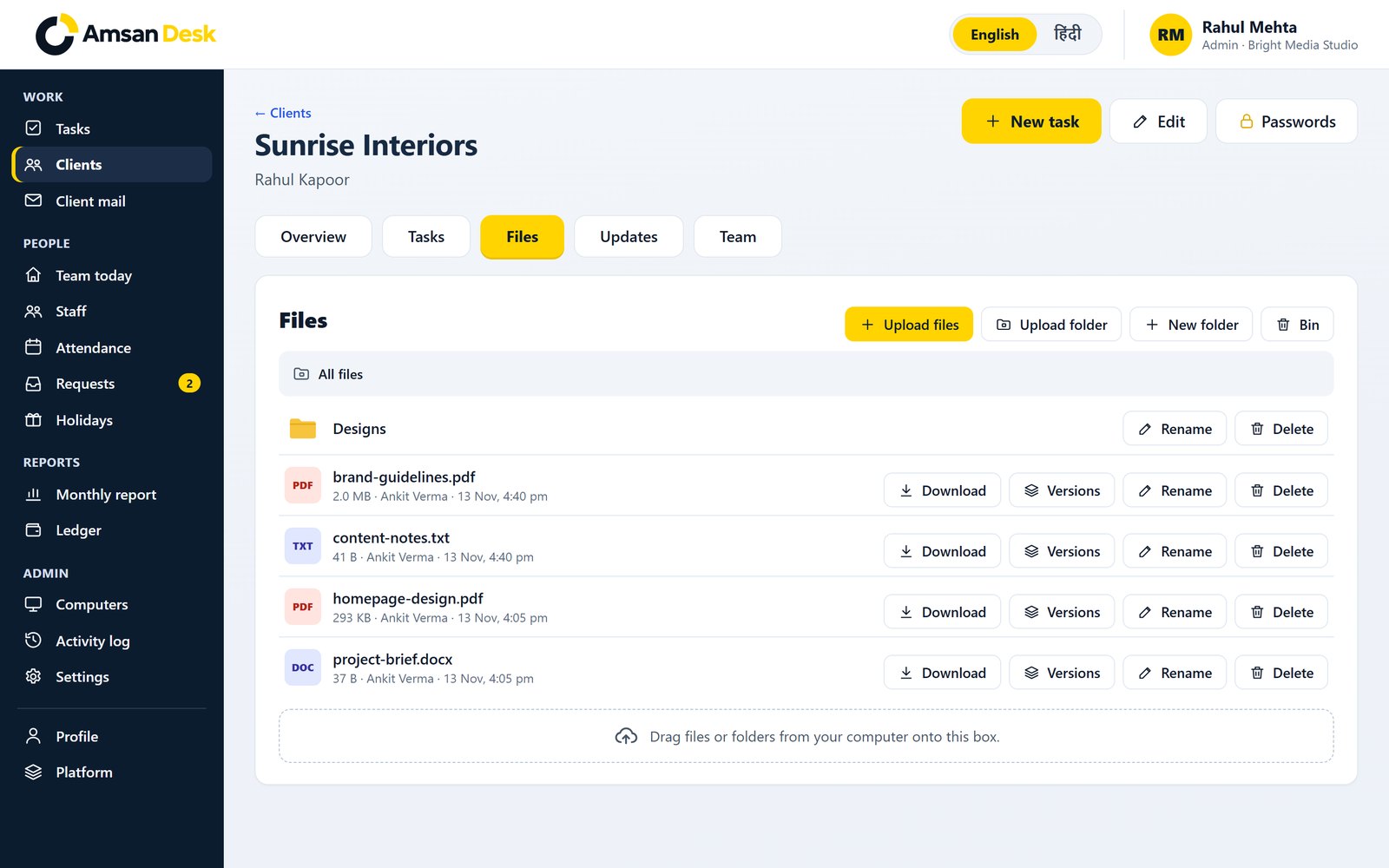
Keep a team on each client, with tasks, files in one place, and a clear overview — like Sunrise Interiors in the sample company.
Turn a client email into a task on the desk, so requests do not get lost between inboxes.
Optional, and never on by default. If a company uses it, activity is recorded only with the employee’s consent, and only between clock in and clock out.
The whole product is available in both languages, including the staff sign-in on the phone.
Attendance and salary are sensitive. The desk is set up with a second step for admins, a nightly backup, and a clear record of who did what.
Owners and admins sign in with an Authenticator app, not just a password.
A backup runs every night, so the day’s work is not left to a manual export.
Important actions are recorded, so a change in hours or salary can be traced.
Each company’s people, files and ledger sit on their own side of the desk.
One login for Amsan Desk and Amsan Guard, our password manager. Learn about Amsan Guard
A clear picture of who is in, and a monthly report that is ready when payroll comes around.
Keep each client’s tasks, files and updates together, next to the team’s attendance.
Salary, advances and payments in a ledger, without a separate payroll tool.
Staff attendance from the phone, in Hindi or English, with time correction requests in one place.
From a team of three, with no upper limit — still a desk for people you know by name.
Tell us about your team. We will walk you through the desk and answer questions, with no account to create first.
We set up your company with you — people, timings, and the rules you already use for leave and salary.
Everyone marks attendance from the browser, and can add the desk to their home screen like an app.
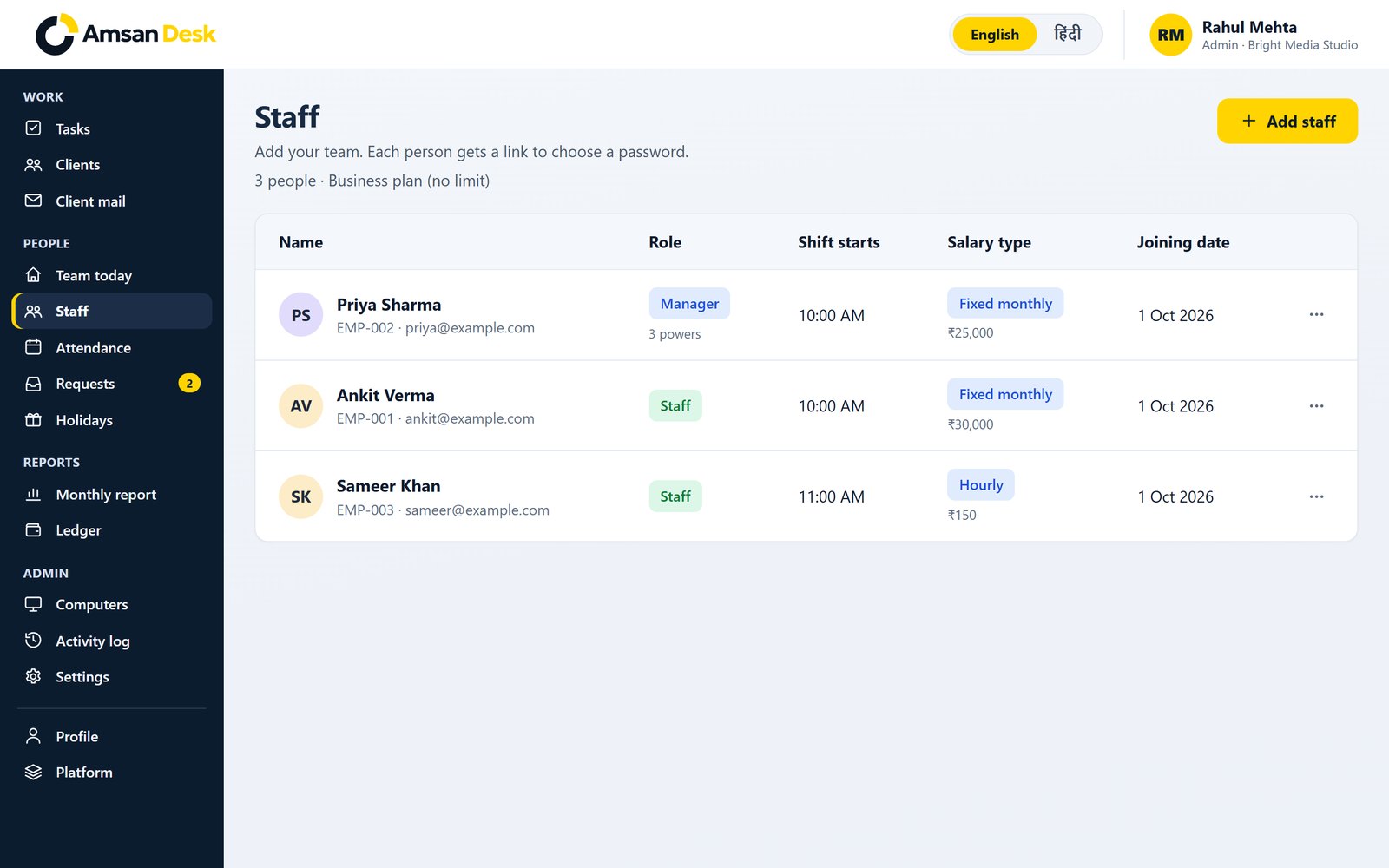
These are real screens from a sample company, Bright Media Studio.
Important actions on this company, newest first.
Leave and time corrections waiting for a decision.
Company, timings and optional tools. Sample company: Bright Media Studio.
Optional, and never on by default. Recorded only with the employee’s consent, and only between clock in and clock out.
Optional activity, only with consent, only during a shift.
रविवार, 22 नवम्बर · इस समय कौन काम पर है।
| स्टाफ | शिफ्ट | क्लॉक इन | काम किया | स्थिति |
|---|---|---|---|---|
AV Ankit Vermaस्टाफ | 10:00 AM | 9:58 AM | 9 घंटे 53 मिनट | काम पर |
PS Priya Sharmaमैनेजर | 10:00 AM | — | — | नहीं आए |
SK Sameer Khanस्टाफ | 11:00 AM | 11:22 AM देर से | 8 घंटे 29 मिनट | काम पर |
फ़ोन पर: इस साइट को Chrome में खोलें, ⋮ दबाएँ और “Add to Home screen” चुनें।
Up to 3 people
Up to 10 people
Up to 50 people
No limit on people
Plans and prices are shared on the demo call, based on your team size.
Did not find your question? Ask us on a short demo call or on WhatsApp.
Request a demo, or write to us on WhatsApp. We will show you attendance, salary and client work, and help you choose a plan.
Tell us a little about your team. We will get back to you to fix a time.
We have your request and will get back to you shortly to fix a time.